2020年8月27日星期四

How to find HP battery information?

To access HP battery information:

1. Type support in the taskbar search box, and then select the HP Support Assistant app.
– or –
Click the question mark icon in the taskbar.

2. Select My PC, select the Diagnostics and tools tab, and then select HP Battery Check. If HP Battery Check indicates that your battery should be replaced, contact support.

HP Support Assistant provides the following tools and information about the battery:
● HP Battery Check
● Information about battery types, specifications, life cycles, and capacity

The above source from official manual.

2020年8月25日星期二

HP 250 g3 har inte en laddare? Pröva dessa.


När HP 250 g3-batteri inte strömförsörjer anteckningsboken eller håller en laddning, kan du söka efter en lösning här: https://support.hp.com/us-en/document/c00259897

OBS! Batteriets maximala kapacitet minskar med tiden och med användning. Förlust av batterikapacitet varierar beroende på produktkonfiguration och användning, inklusive men inte begränsat till: produktmodell, applikationer som körs, inställningar för energihantering och produktfunktioner. Batteriets garanti täcker inte naturlig försämring av batterikapaciteten. Ditt batteri är garanterat från defekter i material eller utförande som resulterar i fel. När du kontaktar HPs kundsupport kan det hända att du måste utföra ett HP-diagnostiskt test för att avgöra om ditt batteri täcks av garantin.
hp 250 g3 batteri


Pris:274SEK (Inkludera de skatter)
Batteri Brand: äkta hp
Spänning: 11.1V
Kapacitet: 2612mAh (31Wh)
Batterityp: litium-jon
Färg: svart
Batteri Fit: Hp 250 g3
Garanti: 9 månad


2020年8月13日星期四

How to fix asus gl504gv battery showing "plugged in, not charging"?


The most common way to fix it is to remove the Microsoft ACPI Compliant Control Method Battery. Here is how to fix it:
 
Remove the Microsoft ACPI Compliant Control Method Battery and allow Windows to scan your computer for hardware and reinstall the drivers needed to manage your battery's power. The notebook should then indicate that the battery is charging.
 
In Windows 10 or Windows 8, hold the Windows key and press the 'x' key to open a menu in the lower-left, then select Device Manager. In Windows 7 or Windows Vista, click Start and type device in the search field, then select Device Manager.
Expand the Batteries category.
Under the Batteries category, right-click the Microsoft ACPI Compliant Control Method Battery listing, and select Uninstall . 
WARNING: Do not remove the Microsoft AC Adapter driver or any other ACPI compliant driver.
On the Device Manager taskbar, click Scan for hardware changes.
Alternately, select Action > Scan for hardware changes.


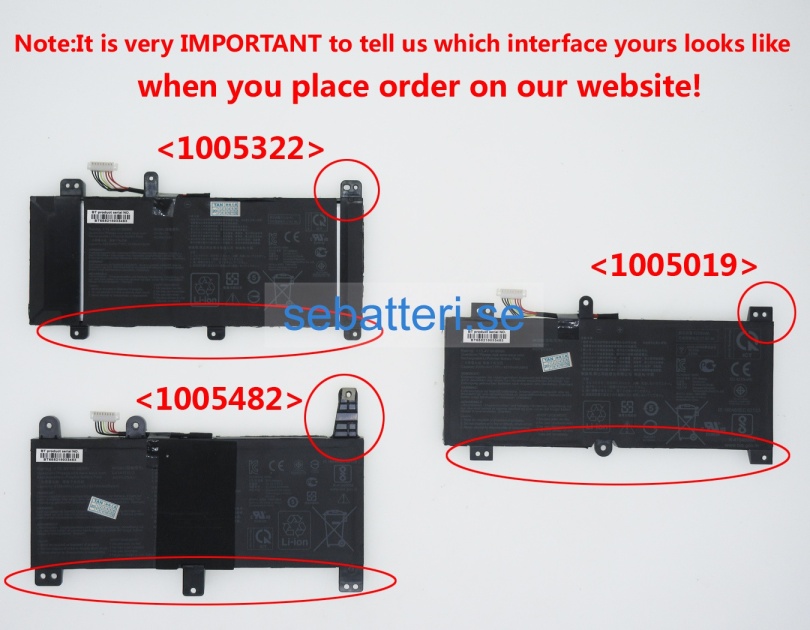
Köpa helt nya asus gl504gv batteri, 15.4V 4335mAh 66Wh original laptop batterier
Pris:794SEK (Inkludera de skatter)
Batteri Brand: äkta asus
Spänning: 15.4V
Kapacitet: 4335mAh (66Wh)
Batterityp: litium-jon
Färg: svart
Batteri Fit: Asus gl504gv
Garanti: 9 månad